

The first time I used Later, I was posting on every social platform.
My workflow was falling apart. And I needed a fix. Fast.
Later gave me one.
There’s a reason Later is one of the most recognized schedulers out there. It has a clean interface. The visual grid and the drag-and-drop calendar are easy to use. And it does the job of scheduling and auto-publishing pretty well.
But then, as my workflow scaled, Later’s shortcomings surfaced. The post caps on paid plans, thin analytics, limited features, and scheduling and linking issues started creating regular hassles.
So, I tested around 16 tools to find a replacement for Later.
Below are the seven worth your time. One of them is Distribution.ai, a tool I built to fix the gaps I kept running into. I’ll be transparent about where it fits and where another tool wins.
Key Takeaways
- Later works well for Instagram-first scheduling, but post caps and limited analytics make it a poor fit once your workflow grows beyond a single brand.
- Distribution.ai is the pick for content teams spending hours turning blogs, podcasts, and videos into social posts. It handles repurposing and scheduling, with built-in analytics.
- Planable is suitable if client approvals are the bottleneck. Comments, sign-offs, and revision cycles stay inside the platform instead of moving into Slack threads and email chains.
- Sendible fits agencies managing multiple client accounts who need separate workspaces, a unified inbox, and branded reporting.
- SocialBee is good for automated evergreen content recycling and category queues.
- Pallyy is the closest like-for-like Later replacement in terms of visual planning, and it prices per brand rather than per social network.
- Vista Social offers DM automations and a unified inbox in its base plan, starting at $99/month.
- Loomly has basic scheduling and approval workflows, which make it fit for small teams.
Why Do People Leave Later?
Most Later users switch due to its missing functionality and workflow limitations. For instance, it doesn’t support TikTok Stories, and you can’t make changes to individual posts when scheduling them in bulk. Also, resizing photos and the drafting process aren’t that flexible.
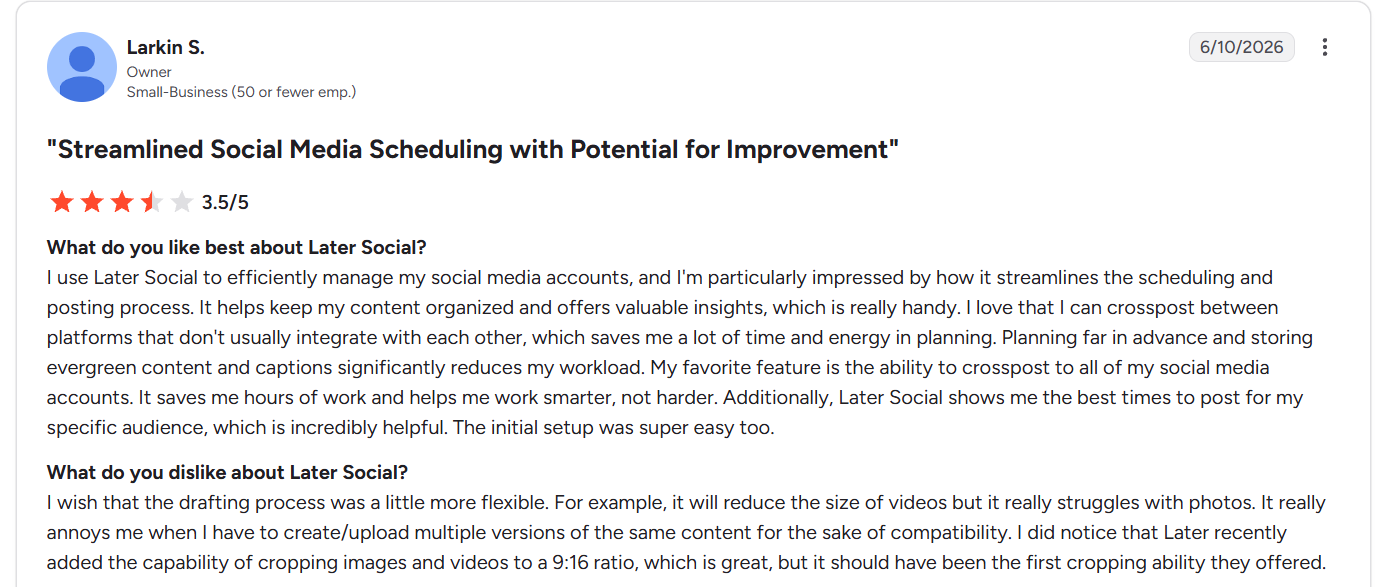
Source: Later Social G2
Here are a few more issues with Later that make people switch to other tools.
1. Post caps on paid plans
The Starter plan allows up to 30 scheduled posts per profile per month. That’s one post a day. So, anyone running a brand that posts more than once daily hits the ceiling fast, and the jump to the Growth plan is double (Starter plan is $25/month and Growth plan is $50/month). Even the Growth plan caps scheduling at 180 posts per profile per month.
2. Analytics aren’t robust
Later’s analytics are limited. It doesn’t give you deeper insights into content performance or audience preferences that can inform social media content strategy. Also, the custom dashboards and advanced reporting features are available only in the high-tier plan.
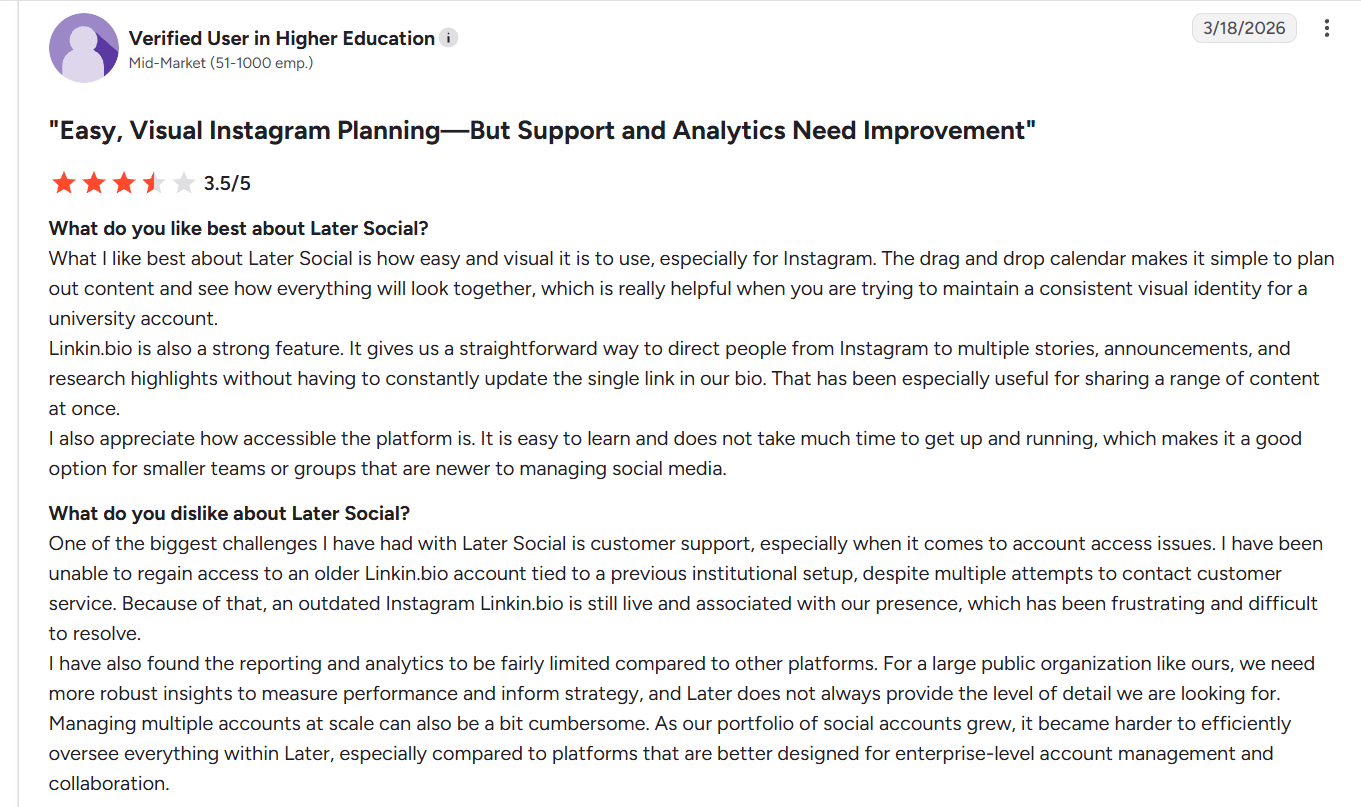
Source: Later Social G2
3. Billing and support complaints
If you look up Reddit threads and other third-party reviews, you’ll find several users reporting charges after cancellation, refunds refused without flexibility, and slow support responses that feel automated.
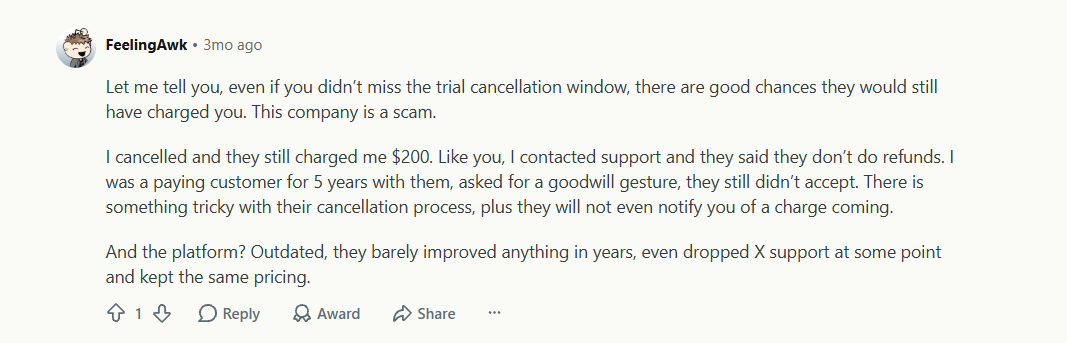
Source: Reddit
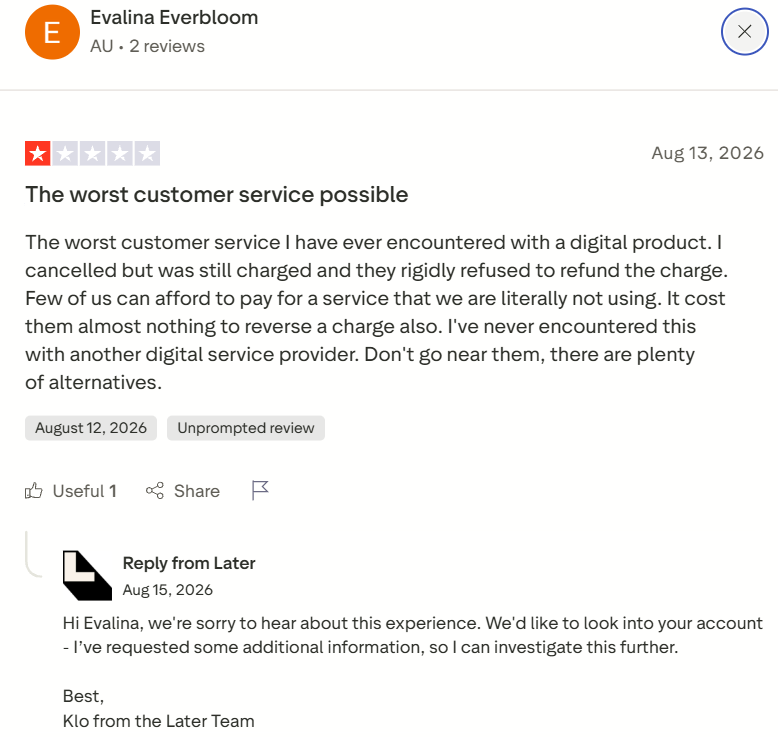
Source: Trustpilot
7 Best Later Alternatives
Before the detailed breakdown, here’s a snapshot of the best Later alternatives with their standout feature and pricing details.
| Tool | Best For | Starting Price | Free Trial/ Plan |
| Distribution.ai | AI repurposing of blogs, podcasts, and videos into platform-ready social content | $19/month (Blog agent) $53.90/month (Blog, YouTube, Podcast) |
15 days |
| Planable | Collaboration and client approval workflows | $39/workspace/month | 50 posts free |
| SocialBee | Category-based scheduling with evergreen content recycling | $29/month | 14 days |
| Pallyy | Visual-first scheduling with per-brand pricing and client approvals | $25/month | 14 days |
| Sendible | Multi-account management with priority inbox and client dashboards | $35/month | 14 days |
| Loomly | Content calendar with post ideas board and approval workflows | $65/month | 15 days |
| Vista Social | Unified inbox with DM automations and review management | $99/month (2 users) | 14 days |
1. Distribution.ai
Best for: Content marketers, agencies, and creators who want content repurposing, scheduling, and analytics in one platform
Source: Distribution.ai
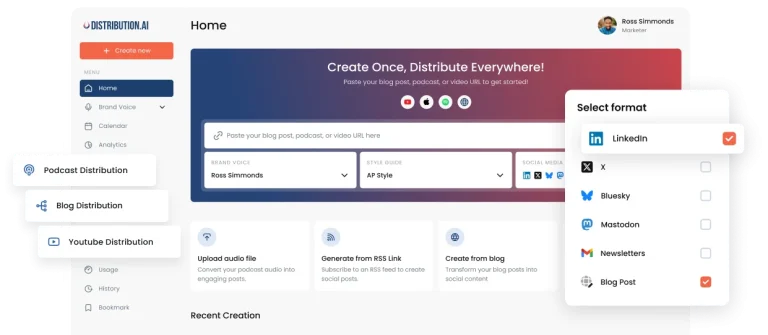
Distribution.ai is built to help you repurpose your existing content into social media posts in your own custom voice and style. It saves you the time you spend on manually rewriting your best-performing content pieces for LinkedIn, X, Instagram, Facebook, and other platforms. You can also upload your podcasts and YouTube videos to generate reframed clips with captions and summaries.
What I like most about it is that you can simply copy-paste your video or blog link to generate social media snippets, emails, newsletters, and even show notes for your podcasts. From there, you can schedule the posts for publishing and then track their performance once they go live.
It’s also super easy to use and fits most content workflows without requiring you to change anything.
But if you’re looking for more advanced features like social listening or DM automation, or you want a tool that has a video focus with premium editing features, Distribution.ai is not the best fit.
Also, you might not find many third-party reviews for my product. We’re still new and building. We’re adding new features every month, and to explore these, you can sign up for a 15-day free trial. No credit card required.
Sign up for a 15-day free trial.
Distribution.ai’s feature highlights
- AI repurposing from blog posts, YouTube videos, and podcast episodes into platform-specific drafts and clips
- Tone and style customization so the output sounds like you
- Multi-channel scheduling and performance tracking in one dashboard
- Supports LinkedIn, X, Instagram, Bluesky, Mastodon, and more from a single workflow
- Built-in analytics for tracking clicks, impressions, top-performing posts, and identifying best times to post across platforms
Distribution.ai’s pricing
Distribution.ai prices by content type. Bundling saves you up to 30%, plus annual billing gives you 2 months of free access. 15-day free trial is available.
- Creator: $53.90/month, all three agents (blog, YouTube, podcast), 10 blog posts, 250 minutes of video and podcast per month. Only YouTube or Podcast will cost $29/month, and only Blog distribution will cost $19/month
- Pro: $109.90/month, 40 blog posts, 750 minutes of video and podcast per month. Only YouTube or Podcast will cost $59/month, and only Blog distribution will cost $39/month
- Business: $368.90/month with 120 posts per month and 2000 minutes for YouTube and Podcast each. Only YouTube or Podcast will cost $199/month, and only Blog distribution will cost $129/month
The Creator plan is available under individual plans only. The organization plans include the Pro and Business plans.
Check out this longer list of tools with features like Later, minus the limitations.
2. Planable
Best for: Agencies handling multiple clients and in need of a proper approval system
Source: Planable
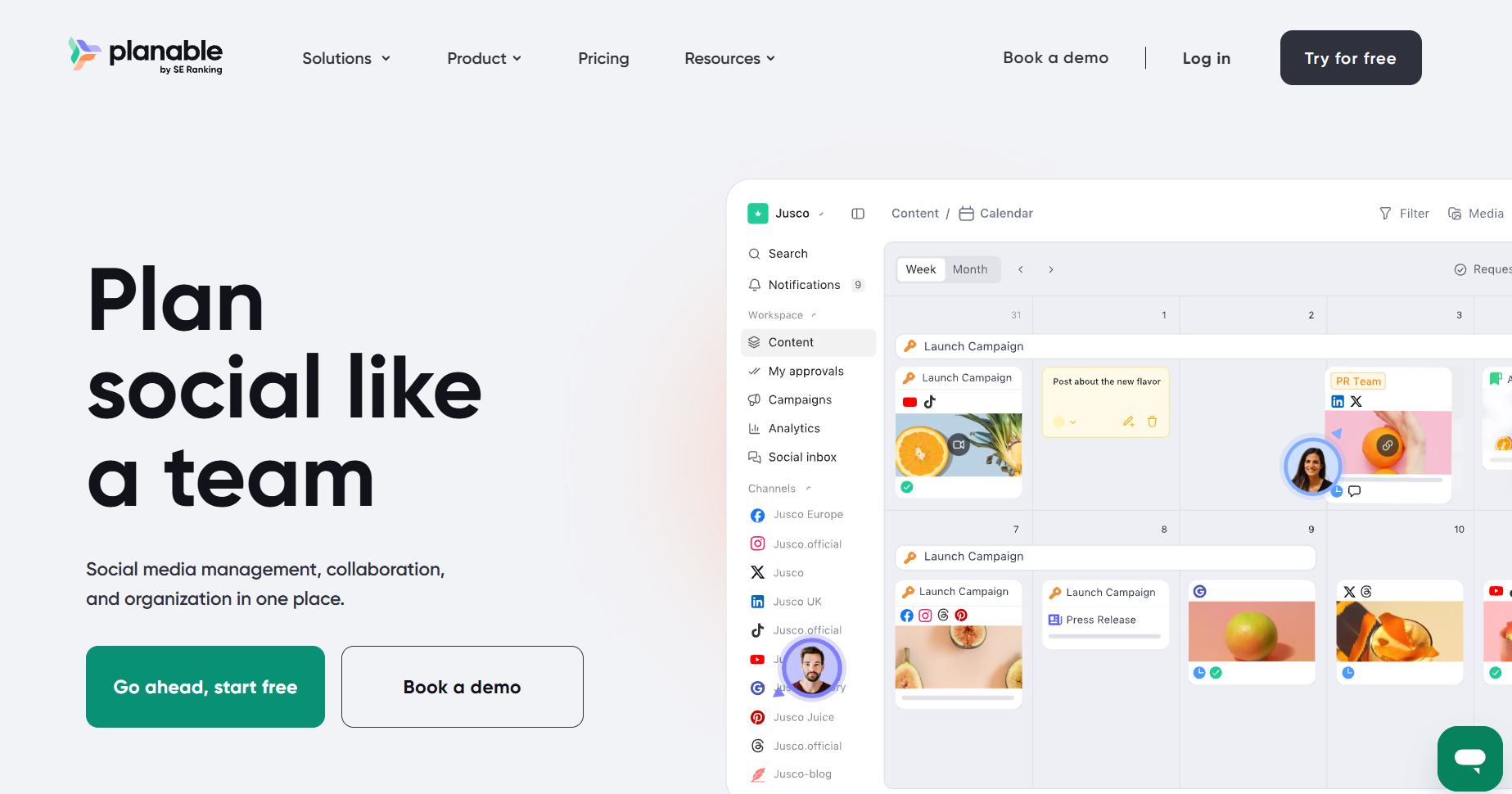
Planable’s a collaboration-first social media tool. You can plan your content schedule with the whole team, assign people for reviews, and also approve within the same workflow. So, if you have too many Slack threads for planning and lost client sign-offs, Planable can simplify things.
I loved that the entire approval chain runs inside the platform. You get a shared calendar for content management and scheduling, plus a centralized platform for collaboration without back-and-forth emails.
However, analytics is an add-on on the Basic and Pro plans, which feels like a strange call for a tool focused on client-facing work. I’ve also faced occasional delays in post publishing.
Planable’s feature highlights
- Different calendar views available, including Feed, Calendar, Grid, and List.
- AI post generator and rewriter for social content
- Cross-channel performance and community engagement tracking with Analytics and Social Inbox
Planable’s pricing
Planable charges per workspace; one workspace for one client or brand. You get the first 50 posts free.
- Basic: $39/workspace/month, 60 posts, 4 social pages/workspace, basic approval types
- Pro: $59/workspace/month, 150 posts, 10 social pages, full approval chain, public API
- Enterprise: Custom pricing with unlimited posts, multi-level approvals, and access to inbox, social listening, and analytics
For the Basic and Pro plans, Analytics, Social Listening, and Social Inbox are available as add-ons.
3. SocialBee
Best for: Creators and small teams wanting to streamline personal branding and automate publishing across social platforms
Source: SocialBee
SocialBee’s interesting category logic made me include it in this list.
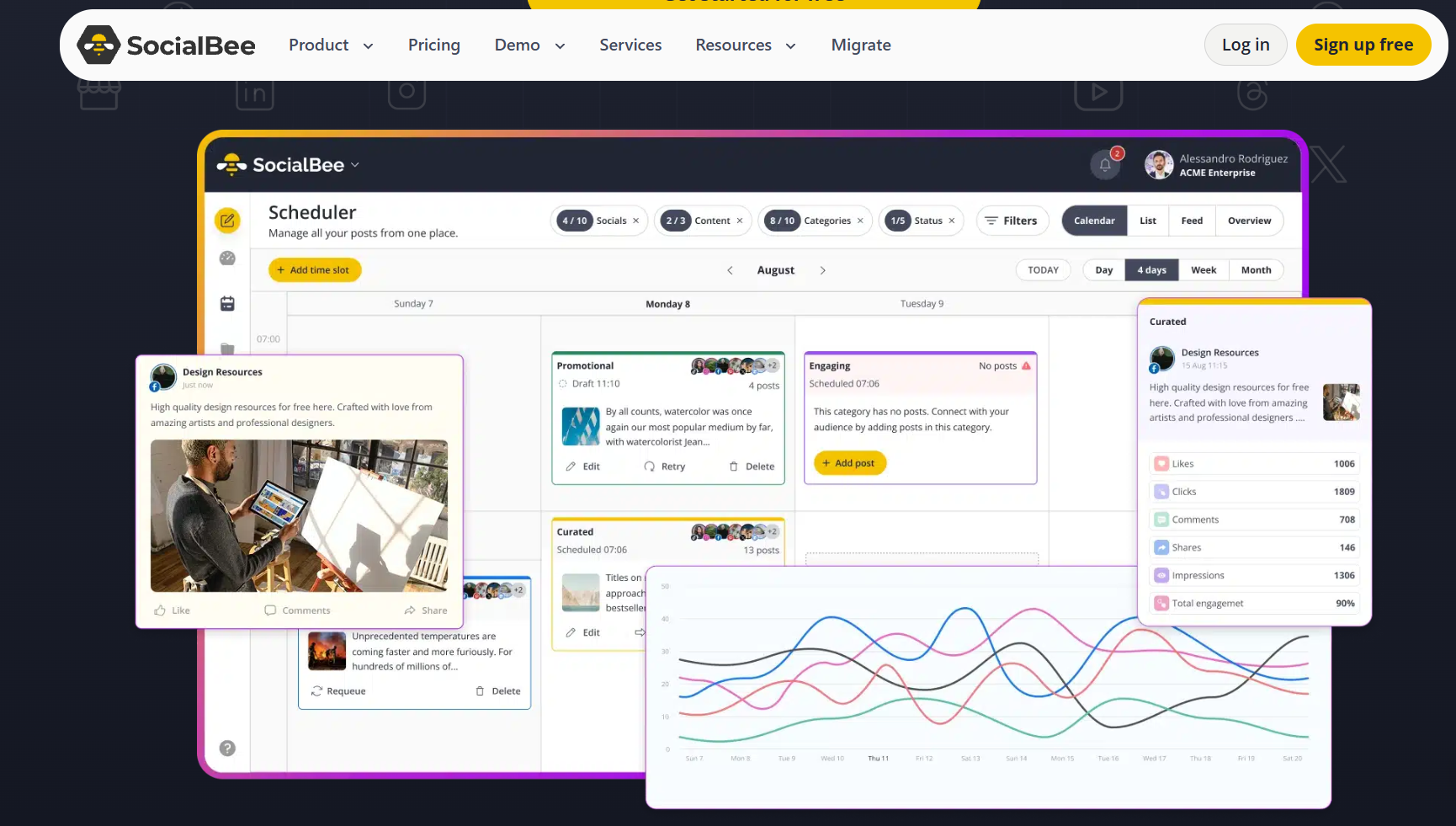
You group posts by topic, set how often each category surfaces, assign slots to each content bucket, and the queue runs itself.
This category system keeps content balanced and consistent without weekly rebuilding. If you’re managing five clients, that means five separate queues running on autopilot, with no manual calendar work. Another plus: its universal posting covers Facebook Groups, Reddit, and Quora. You can post manually to these platforms from within the tool.
Great features, but the learning curve is real.
Getting categories and schedules configured the way you want takes longer than it should, especially if you’re managing multiple workspaces. I’ve run into occasional slow load times and posts getting stuck in the queue. Plus, I feel the analytics could be more detailed.
SocialBee’s feature highlights
- Automated recycling of evergreen content
- Copilot AI for generating post variations, starter strategy, and suggesting content categories
- Content expiry settings so time-sensitive posts automatically stop recycling after a set date or number of publishes
SocialBee’s pricing
SocialBee has Standard and Agency plans. It offers a 14-day free trial and a 30-day money-back guarantee.
Standard plans:
- Bootstrap: $29/month, 5 profiles, 1 user/workspace, 1 workspace with basic analysis and limited content categories
- Accelerate: $49/month, 10 profiles, 1 user/workspace, and 1 workspace. Includes post approval and advanced analytics
- Pro: $99/month with 25 profiles, 5 workspaces, and 3 users/workspace, and exportable analytics reports
Agency plans:
-
- Pro50: $179/month, 50 profiles, 5 users/workspace, 10 workspaces including unlimited content generation, categories, bulk editing, hashtag organizer
- Pro100: $329/month, 100 profiles, 5 users/workspace, 20 workspaces with unlimited content generation, hashtag organizer, bulk post editor
- Pro150: $449/month, 150 profiles, 5 users/workspace, 30 workspaces with advanced analytics and unlimited content categories
Extra users, workspaces, and profile sets are available as add-ons on any plan.
4. Pallyy
Best for: Freelancers and small agencies who want a visual-first scheduler at an affordable price point
Source: Pallyy
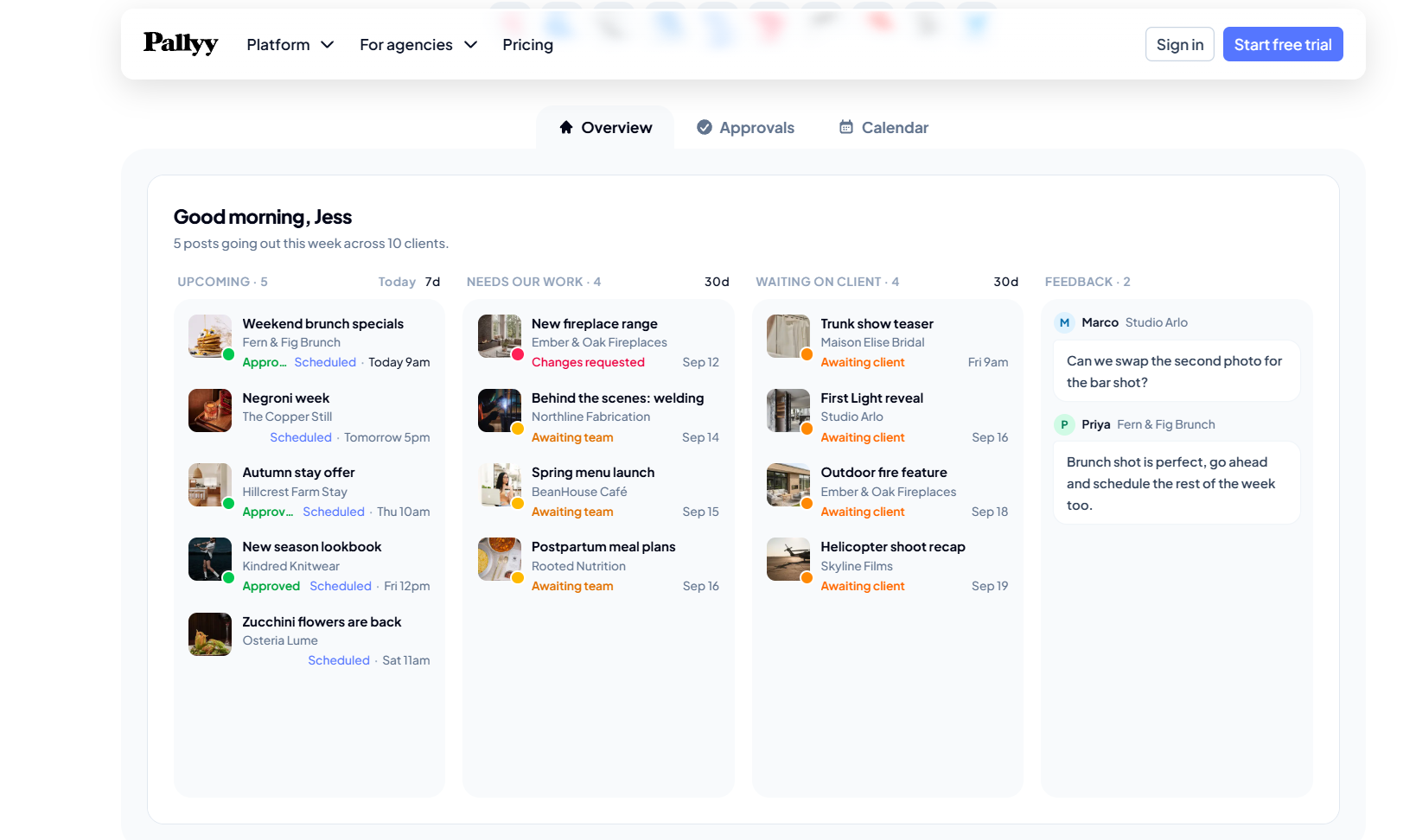
Pallyy is built for visual creators and teams who mostly deal with Instagram marketing. Planning, client feedback, approvals, and publishing all sit under one roof, and the client side of the workflow is clean enough for solopreneurs and small agencies.
What I liked best is that there’s just one shared calendar approval flow. It removes the friction from review cycles. The analytics cover Instagram, Facebook, and LinkedIn with up to five years of historical data. And you can even build custom PDF reports for stakeholders.
Fair warning on numbers.
When you tally the native dashboard with Pallyy’s analytics dashboard, you might spot a few mismatches. Instagram and Facebook analytics have a lot of room for improvement. Stories and mixed-media carousels also occasionally fail to publish.
Other than that, it’s a pretty smooth tool.
Pallyy’s feature highlights
- Instagram grid preview, drag-and-drop media library, and competitor tracking
- Shared calendar link lets clients approve posts without a Pallyy account or seat
- Social inbox for managing Instagram, Facebook, TikTok comments and messages, and Google reviews in one place
Pallyy’s pricing
Pallyy prices per social set instead of per channel. It offers a free plan with 1 social set and 15 scheduled image posts per month.
- Pro: $25/month, supports 1 social set and 1 user. Provides access to unlimited posts, content calendar, social inbox, analytics, and approvals. Extra social sets are available at $10/month per extra set. Extra users can’t be added.
- Agency: $99/month, 10 social sets, 3 users. Extra users and sets are available at $20/month each. Access custom reports, shared sets, and API access
- Scale: $199/month, includes 30 social sets, 10 users. More users and sets are available on a custom pricing basis.
5. Sendible
Best for: Brands and agencies looking for multi-account management
Source: Sendible
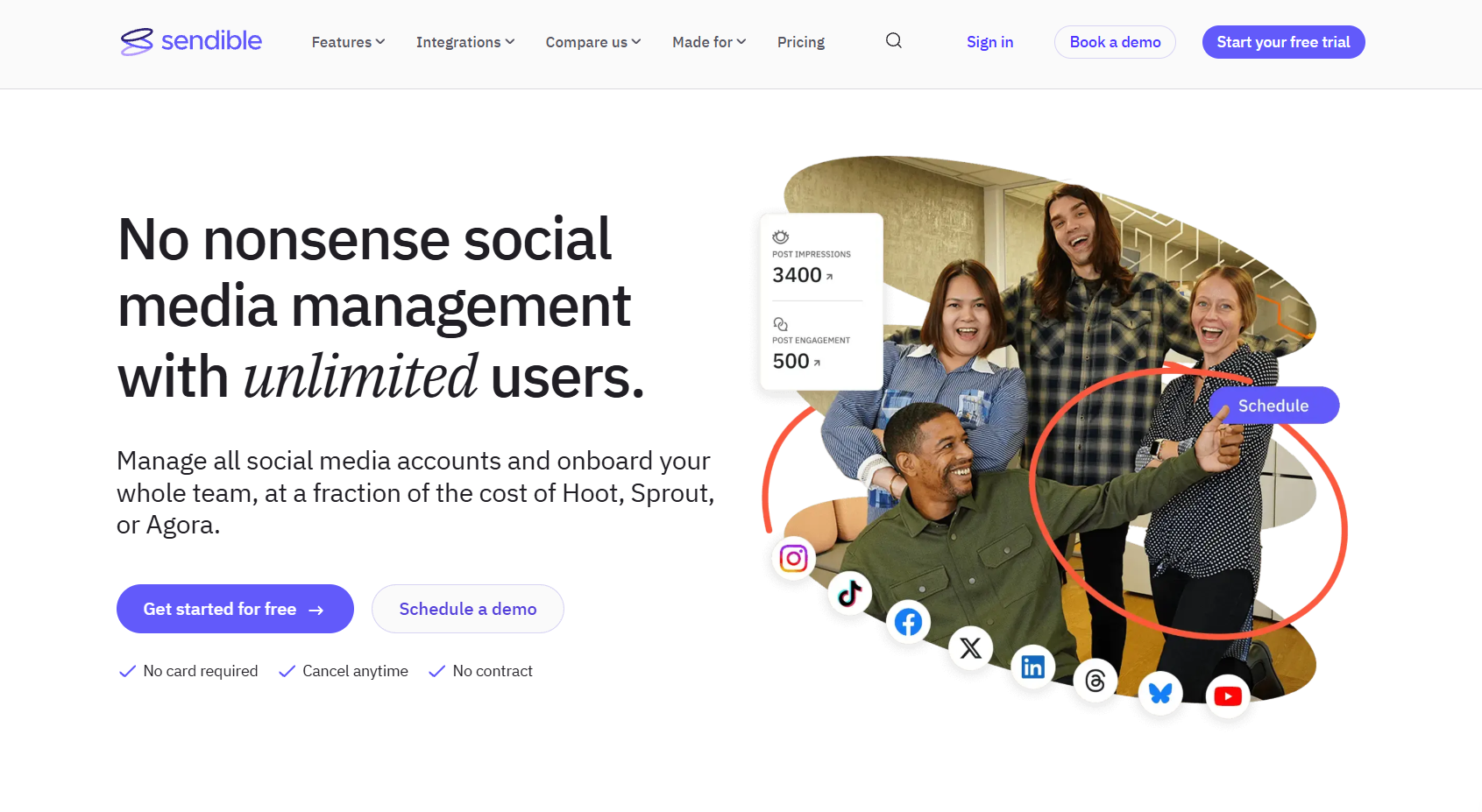
If Later feels too limited for managing multiple client accounts, Sendible is your best pick. It gives you separate workspaces and well-organized dashboards to keep your client tasks isolated.
What I like the most is that you get scheduling, collaboration, analytics, and client management in one place. You can plan and queue your social media posts and get them published as per your schedule. It’s a time-saver.
Now for the rough edges.
I came across freezing screens and slow uploads, especially when working with graphics. Besides this, the LinkedIn integration is a bit problematic as posts sometimes don’t get published as scheduled.
Sendible’s feature highlights
- Priority Inbox that pulls comments, DMs, and mentions from every profile into one stream with sentiment tagging
- Custom report builder for branded performance reports by KPI
- Campaign management for organizing and tracking all social media campaigns
- Smart queues for evergreen content recycling
Sendible’s pricing
Sendible bundles workspaces and profiles together per tier. It has a 14-day free trial and 5 paid plans.
- Core: $35/month, 1 workspace, 6 social profiles with unlimited users, scheduling, standard reports
- Plus: $99/month, 3 workspaces, 18 social profiles, core plan features, plus approvals
- Premium: $199/month, 7 workspaces, 42 profiles, with custom reports and campaigns
- Elite: $299/month with 15 workspaces, 90 social profiles, advanced user permissions
- Enterprise: $750/month including 50 workspaces, 300 social profiles, dedicated account manager, and access to all features
6. Loomly
Best for: Small businesses and freelancers looking for centralized social media scheduling and collaboration
Source: Loomly
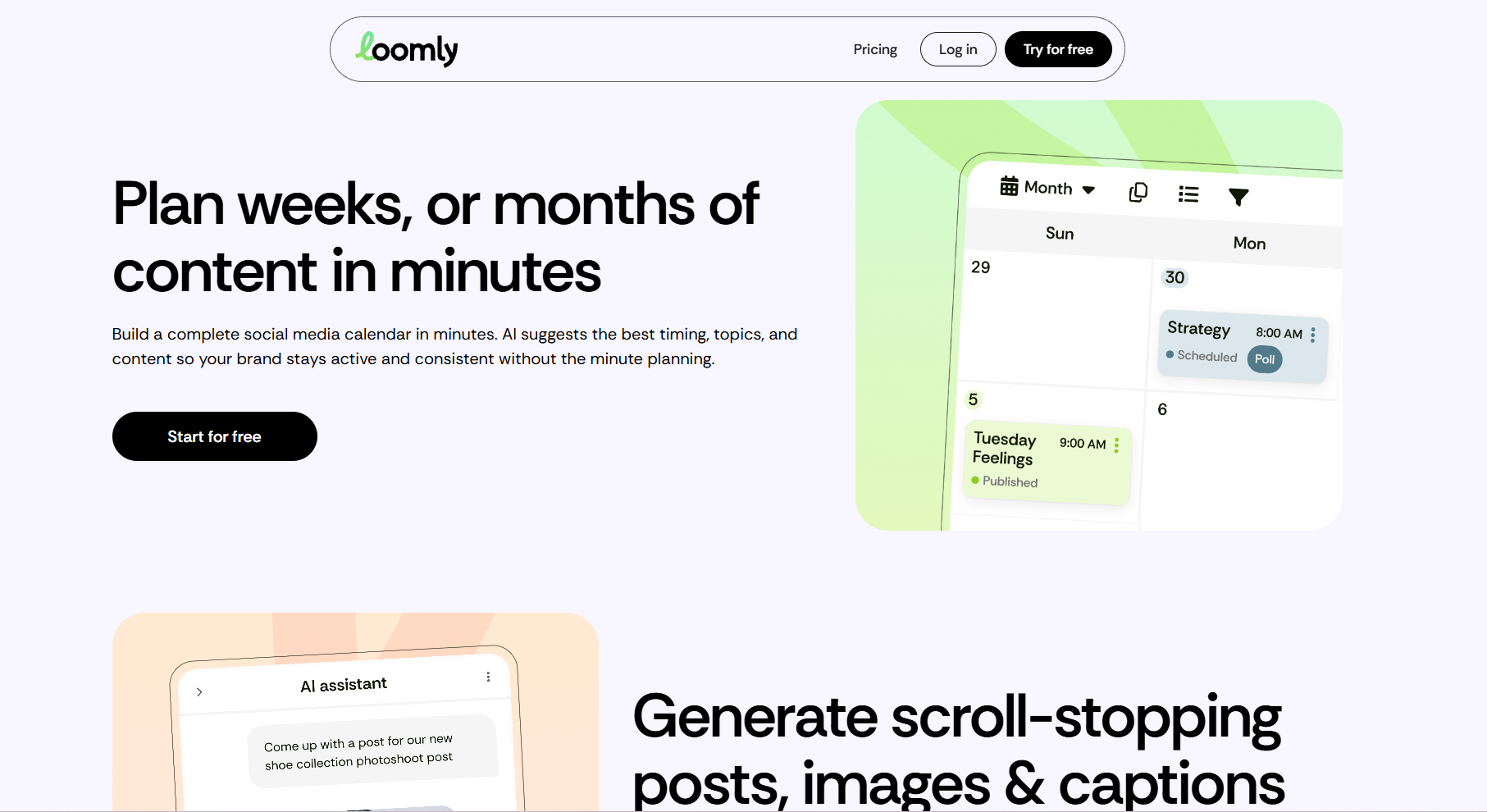
Loomly is a content calendar and scheduling tool that fits right between basic schedulers and enterprise platforms.
It has automated publishing, analytics, content creation, and approval workflows. Plus, an AI post builder that analyzes content and provides tips on post optimization to improve engagement.
Loomly won me over with its content calendar. It’s one of the cleanest I’ve used.
It comes with drag-and-drop scheduling, clear approval states per post, and platform-specific post previews that prevent reformatting issues. Also, the post ideas board is a genuine differentiator. It gives you a dedicated space to jot down your ideas and convert them into social posts.
However, I feel a few things could definitely be better.
First, the analytics and reporting could be more comprehensive. Second, scheduling could be smoother. Third, the content management system could be more organized.
I’m also not a fan of their post editor. It’s somewhat clunky.
Loomly’s feature highlights
- Master calendar view with all brand calendars together in one place
- Post ideas board fed by RSS, social holidays, and trending content
- Approval workflows with custom roles, comment threads, and bulk approval
- AI assistant for captions and social listening built into the scheduling workflow
Loomly’s pricing
Loomly offers 3 paid plans on a monthly and yearly basis and a free 15-day trial.
- Starter: $65/month includes 12 social accounts, 3 users, scheduling, AI assistant, and analytics
- Beyond: $332/month supports 60 social accounts, unlimited users and calendars, custom branding, and roles
- Enterprise: Custom pricing for 61 or more accounts with priority support
7. Vista Social
Best for: Growing brands and SME teams looking to streamline social media management workflows
Source: Vista Social
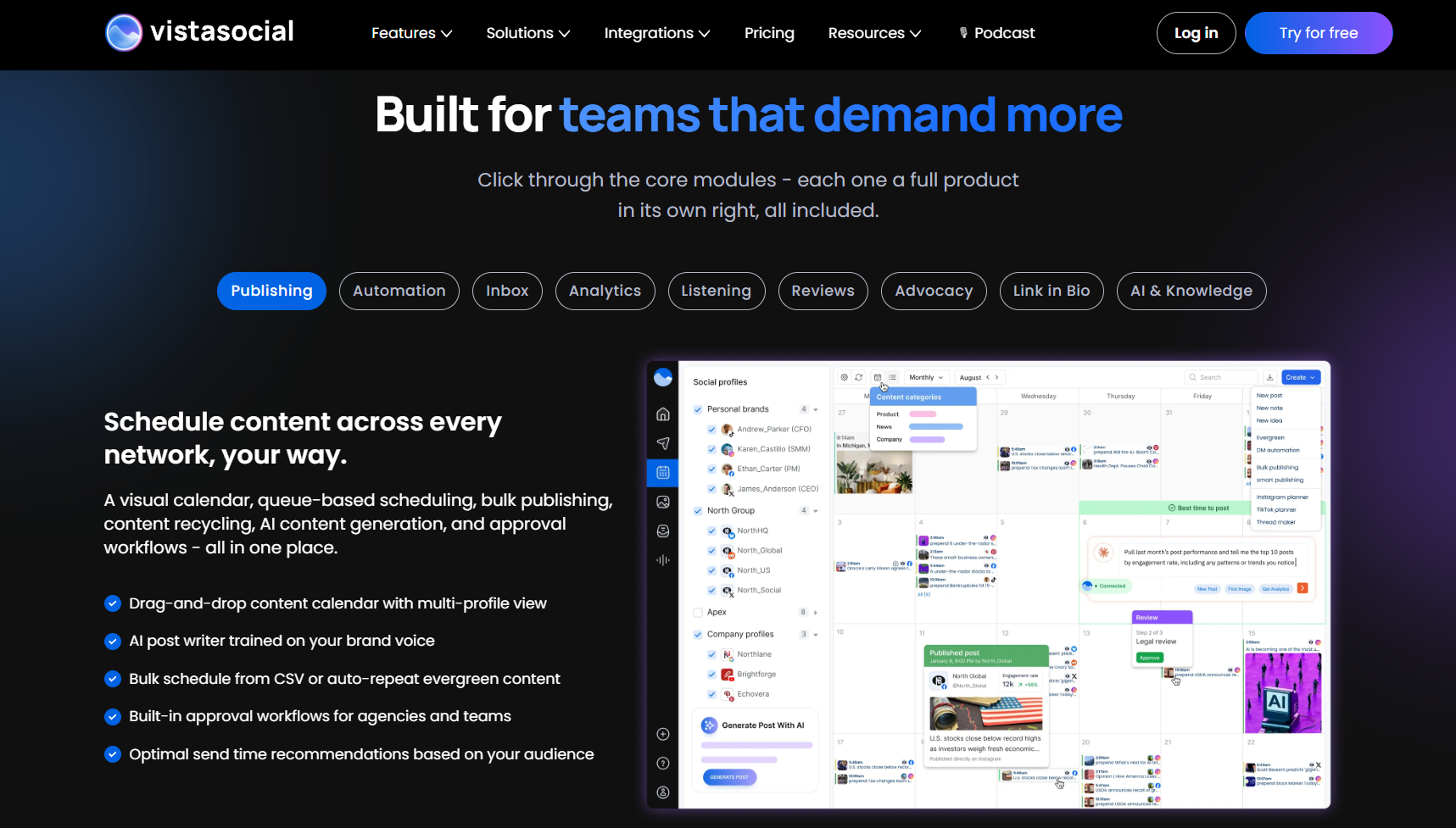
Vista Social is one of those tools that puts some great features in its base plan that most tools save for their mid-tier plans. You get DM automations, a unified inbox, a link-in-bio tool, and project management.
It’s easy to get started… just connect profiles and schedule your first post. However, it takes time to learn the automations, listening, engagement, and other workflows.
For me, the unified inbox is a standout. It lets me reply to comments, DMs, mentions, and reviews from every platform. The AI can be trained on a custom brand voice, and it comes with sentiment filtering settings. You can also manage replies and pull reports through Ask Vista, which saves the time you spend navigating menus and dashboards.
What slowed me down is the learning curve. It takes time to find and configure the advanced features, like social listening and review management. They’re buried deep enough that you might miss them for weeks. The mobile app also needs significant work.
Vista Social’s feature highlights
- Unified social inbox covering DMs, comments, mentions, and reviews with sentiment filtering and team assignment
- Review management across Google, Facebook, Yelp, Tripadvisor, OpenTable, Trustpilot, App Store, and Google Play from the Advanced plan
- Ask Vista, an AI command center for scheduling, reporting, and engagement via chat instead of dashboard navigation
Vista Social’s pricing
The social media management tool charges by profiles and users per tier, with X (Twitter) as a paid add-on at $29/month on every plan. 14-day free trial.
- Professional: $99/month for 2 users and 15 profiles. Includes planning, publishing, engagement, and reporting tools plus DM automations
- Advanced: $199/month for 3 users and 30 profiles, advanced reporting and automation, Vista Page features, Zapier and Make integration
- Scale: $449/month for 4 users and 70 profiles, access to white-label dashboard and client profile connect, premium AI training and knowledge
- Enterprise: Custom pricing for unlimited users and social profiles
My Verdict
Every tool on this list solves a problem. The right pick depends on where your workflow is breaking down. Here’s what I recommend.
- If client approvals and team collaboration are the bottleneck, Planable is the clearest answer.
- For managing multiple client accounts and working in organized dashboards, Sendible has the ideal feature set.
- Pallyy is for creators who want a visual-first tool within budget. It’s the closest thing to a direct Later replacement without the hassles.
- For automatic evergreen recycling, SocialBee and Sendible are worth considering.
- If you want a clean content calendar and an ideas board for a small team, Loomly fits. And if your team lives in the inbox, Vista Social packs the most into its base plan.
- Lastly, if you’re struggling with content creation, repurposing, and staying consistent on social media platforms, Distribution.ai is for you.
I’ve built Distribution.ai to streamline social media workflows and solve the daily frustrations of creating content from scratch. It helps you save time by automating social media content and publishing so you can post even on busy days.
If you’d like to explore Distribution.ai’s features, start your 15-day free trial. No credit card required.
Frequently Asked Questions
1. Does Later have a free plan in 2026?
No. Later removed its permanent free plan and now offers a 14-day free trial before requiring a paid subscription. The Starter plan begins at $25/month. If a free plan is the deciding factor, Pallyy offers a free tier with one social set and basic scheduling.
2. What is the best free alternative to Later’s visual-first scheduler?
Pallyy is the strongest free option for visual scheduling, with one social set and 15 scheduled posts per month at no cost. If you need broader platform coverage, including X (Twitter), Buffer’s free plan covers three channels with basic analytics. Its paid plans start from $5/channel/month billed annually and $6/channel/month billed monthly.
3. Which Later alternative is best for agencies?
Planable is a good fit for agencies that need structured client approvals without sharing platform logins. Sendible works better for agencies managing high volumes of accounts, with separate workspaces, and Distribution.ai works best for agencies focused on repurposing and making more out of existing content.
4. Is Later better than Hootsuite?
Later is the better pick if your focus is Instagram and visual content planning. The grid preview, drag-and-drop calendar, and link-in-bio tool are purpose-built for visual-first workflows. Hootsuite covers more ground with social listening, a unified inbox, deeper analytics, and broader platform support, but costs significantly more and has a steeper learning curve.
5. Which Later alternative is best for repurposing long-form content?
Distribution.ai is the only tool on this list built specifically for that job. You paste a blog post, podcast, or YouTube link, and it generates platform-ready drafts across channels in your brand voice. The other tools on this list are schedulers first, not repurposing tools.